Read the full website brief
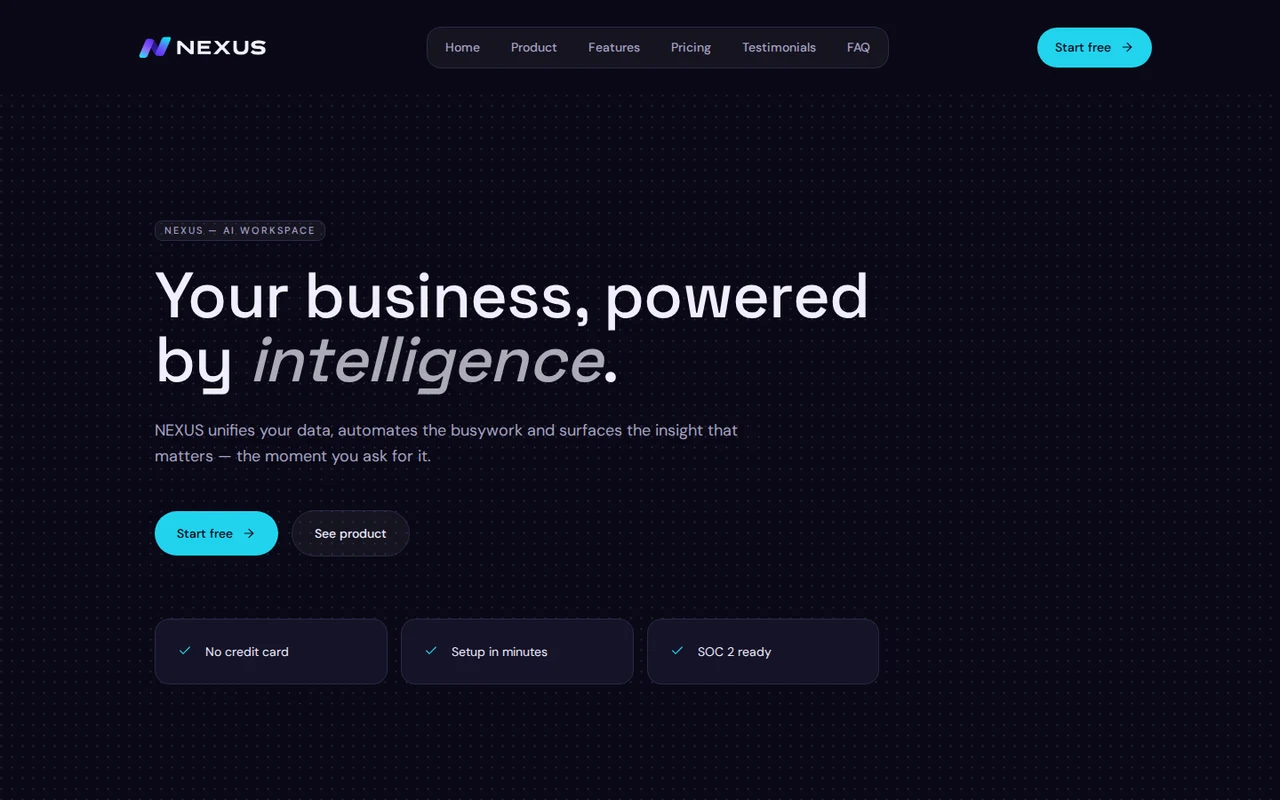
Create a sleek website for a fictional AI SaaS startup called "NEXUS".
Important:
- This is a fictional website only
- Do not use any real company names, real customer logos, or real addresses
- The website should feel cutting-edge, modern, and startup-ready
- It should look like a polished SaaS company landing page used to market an AI product
- The final result should be visually strong enough to be featured as a example on a website builder landing page
Website goal:
Showcase a fictional AI platform that helps businesses automate workflows, analyze data, and get useful insights. The site should feel like a high-quality startup product website, with strong messaging, product UI mockups, feature sections, and pricing.
Pages:
- Home page
- Product / Pricing page
Overall design direction:
- Style: futuristic, polished, dark-mode, clean, modern
- Color palette: deep charcoal or dark navy background with accents of electric blue, violet, indigo, and subtle glow effects
- Typography: strong modern sans-serif
- Layout: crisp grid-based sections, bento-style feature cards, glowing UI panels, product screenshots, and clean spacing
- Use abstract AI-inspired visuals, dashboard mockups, charts, workflow diagrams, and subtle gradients
- Avoid messy or overly cyberpunk visuals; keep it premium and clean
Brand positioning:
NEXUS is a fictional AI workspace that helps teams unify data, automate repetitive operations, and make better decisions faster.
Home page structure:
1. Hero section
- Bold headline such as:
"Your business, powered by intelligence."
- Supporting text explaining that NEXUS helps teams automate workflows, centralize knowledge, and surface insights instantly
- Primary CTA: "Start free"
- Secondary CTA: "See product"
- Include a polished product UI mockup or dashboard visual
2. Social proof / trust strip
- Show fictional trusted-by logos using invented brand names
- Do not use real brand names
3. Feature overview
- Show 6 core features in visually appealing cards
- Example features:
- Workflow automation
- AI-powered analytics
- Smart team assistant
- Unified knowledge base
- Custom integrations
- Real-time reporting
4. Product showcase section
- Large dashboard screenshot or UI-focused section
- Highlight things like:
- connected data sources
- prompt-driven reporting
- task automation
- team collaboration
5. Use case sections
- Show 3 use cases:
- Operations teams
- Sales teams
- Product teams
- Each use case should explain how NEXUS helps that team
6. Bento-style benefits section
- Cards with short punchy messages like:
- "Automate repetitive work"
- "Ask questions in plain English"
- "See answers across all your systems"
- "Deploy in minutes"
7. Pricing preview section
- Show 3 fictional pricing tiers
- Example:
- Starter
- Growth
- Enterprise
- Add believable but fictional SaaS pricing
8. Testimonials
- Include 3 fictional testimonials from invented people and companies
9. FAQ section
- Questions about setup time, integrations, security, and team collaboration
10. Final CTA
- Strong closing section with a glowing background accent
- CTA: "Start building with NEXUS"
11. Footer
- Product
- Pricing
- Security
- Integrations
- Contact
- Docs
- Legal
- Fictional company info only
Product / Pricing page structure:
1. Page hero
- Headline around platform capabilities or pricing clarity
2. Detailed product feature sections
- Workflow builder
- AI assistant
- Data sync
- Reporting dashboards
- Team collaboration
- Role-based access
3. Integrations section
- Show fictional or generic integration icons
- Avoid using protected brand marks if unnecessary
- If icons are used, keep them simple and generic
4. Pricing table
- Starter, Growth, Enterprise
- Include features for each plan
- Make the table look polished and modern
5. Security / reliability section
- Mention fictional enterprise-grade security, uptime, and compliance-style messaging
- Keep it believable but generic
6. Final CTA
- "Start free" and "Talk to sales"
Copy tone:
- Confident
- Modern
- Clear
- Startup-like
- Crisp
- Benefit-driven
Additional guidance:
- This should feel like a product people would actually want to sign up for
- The product visuals matter a lot, so use strong dashboard mockups and modern UI sections
- Make sure it looks different from generic small-business websites
- The site should immediately communicate that Blockora can create high-end SaaS websites too